Share your thoughts!
Let us know what you think...
Only logged in customers who have purchased this product may leave a review. Log in now




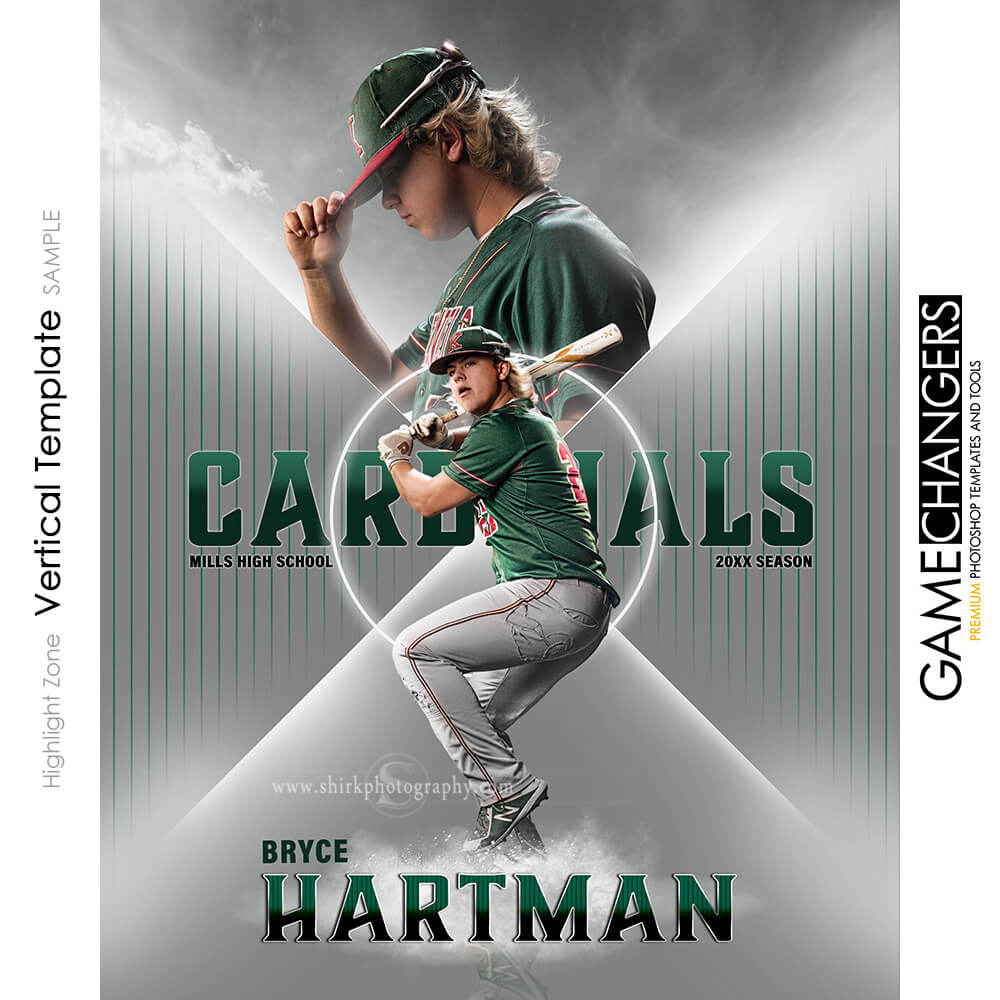
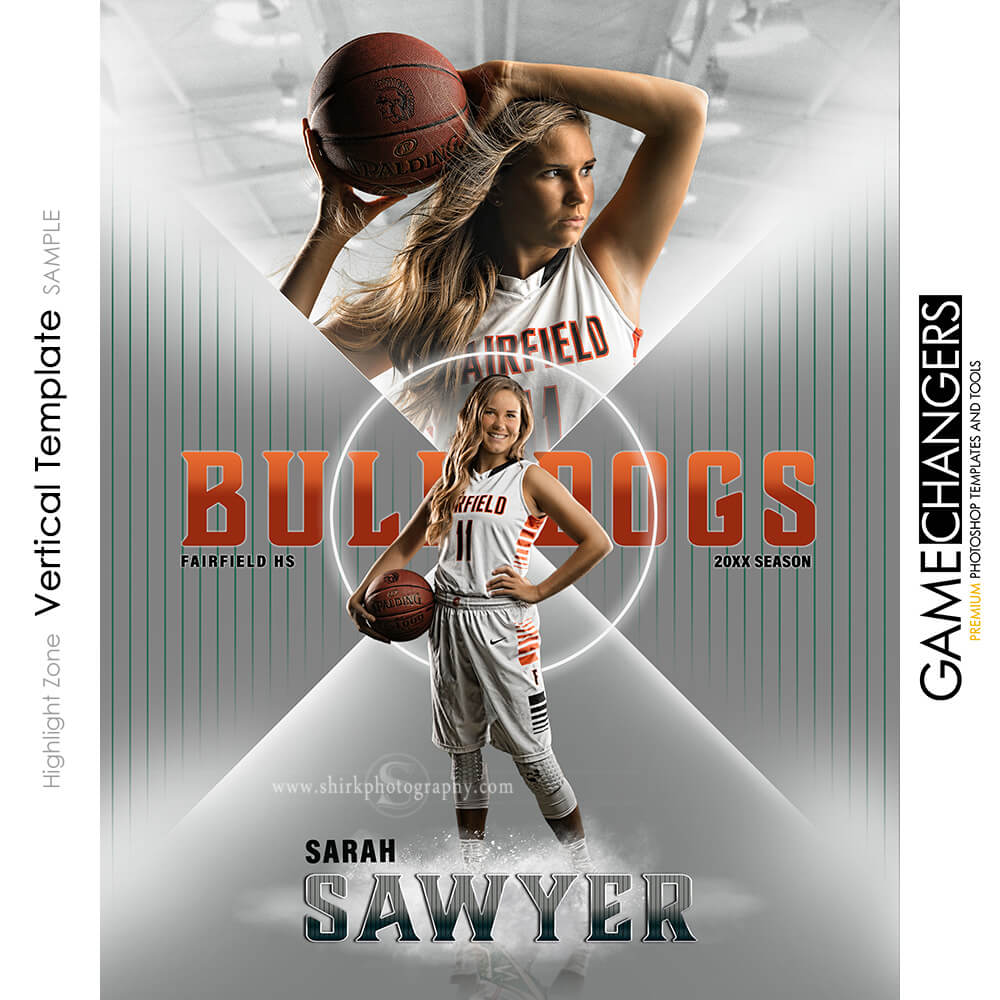
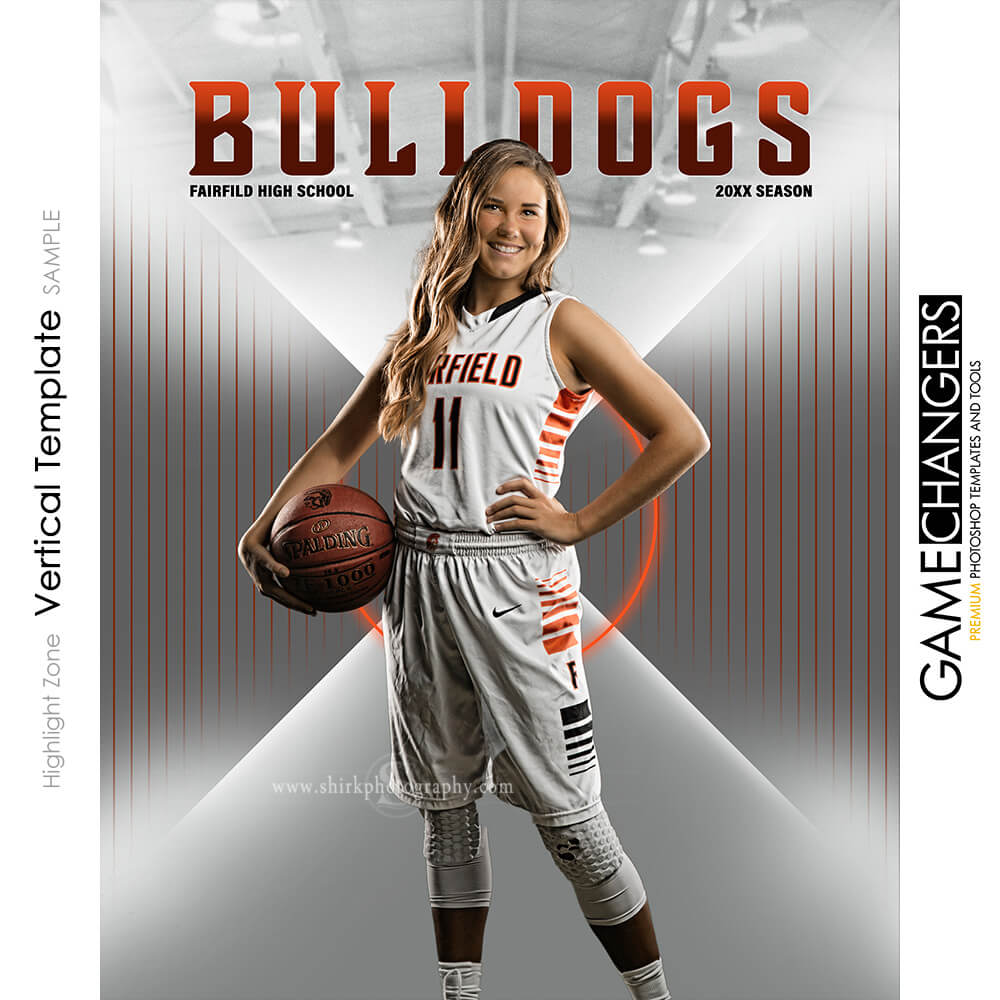

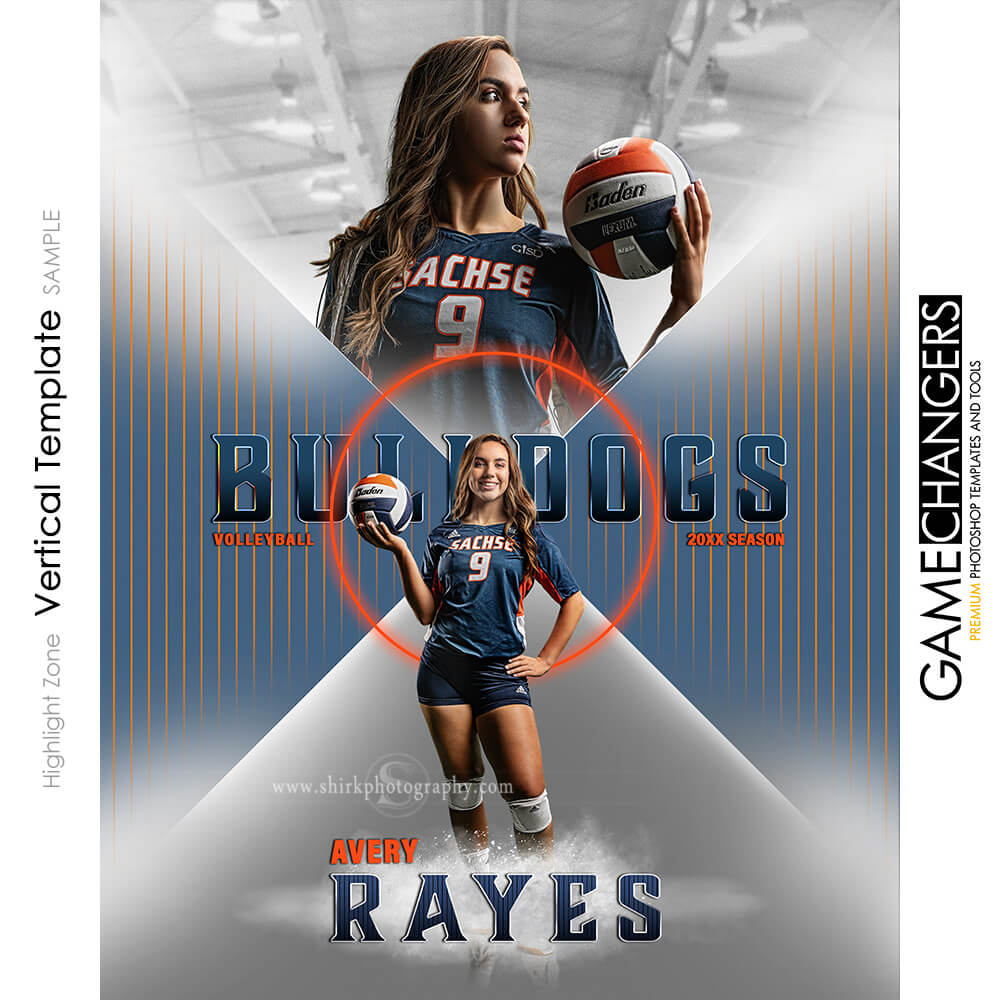
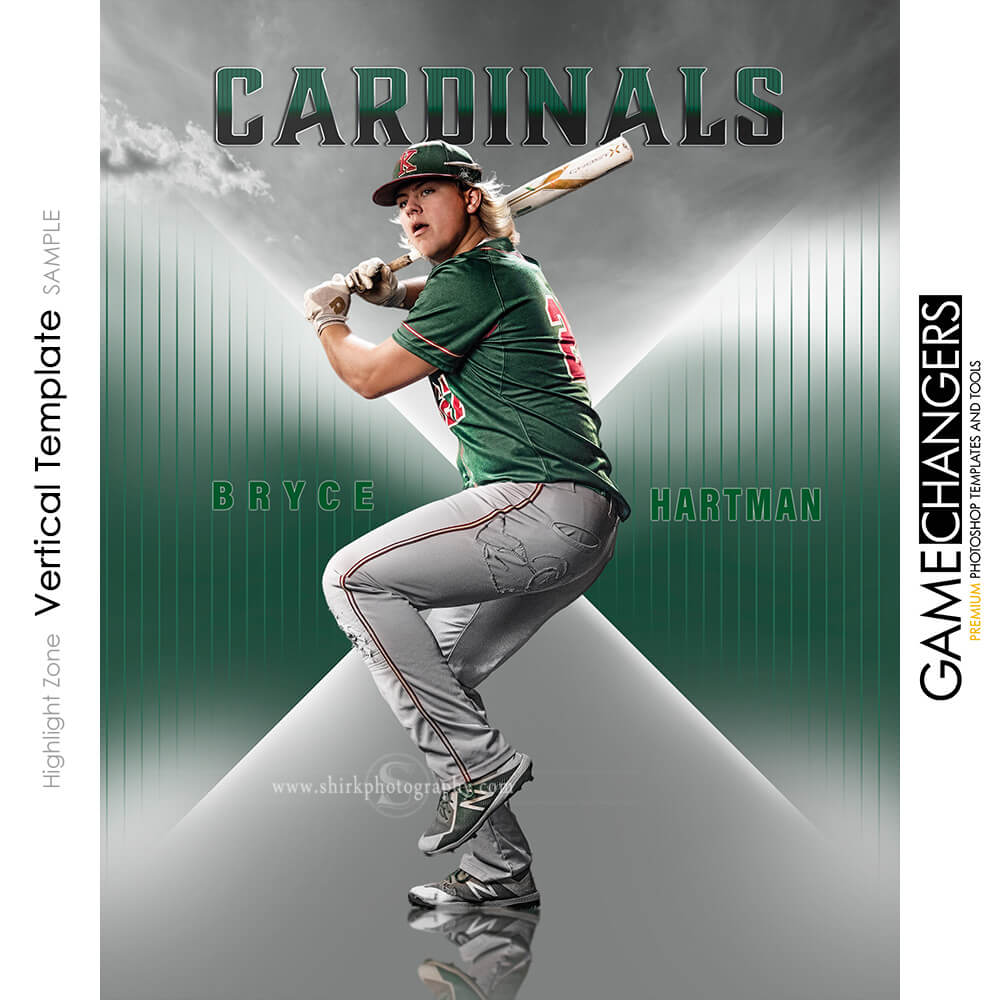
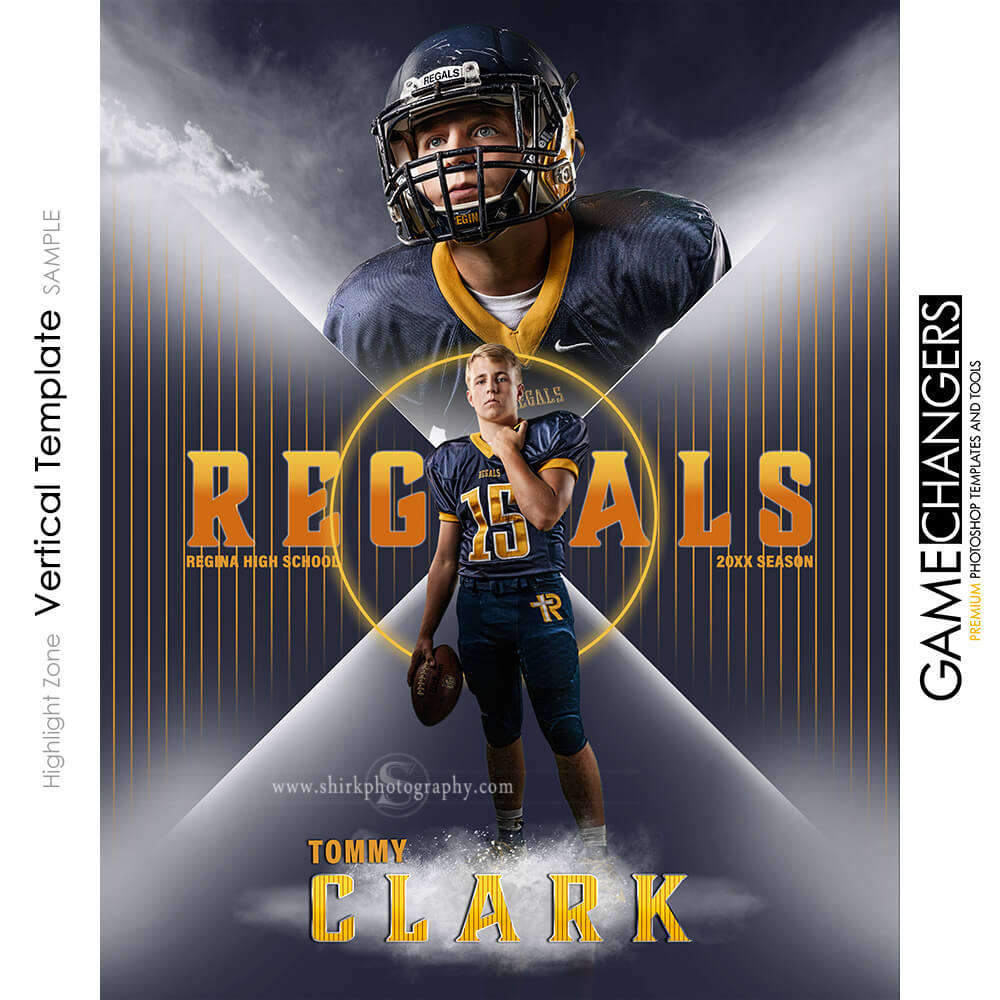
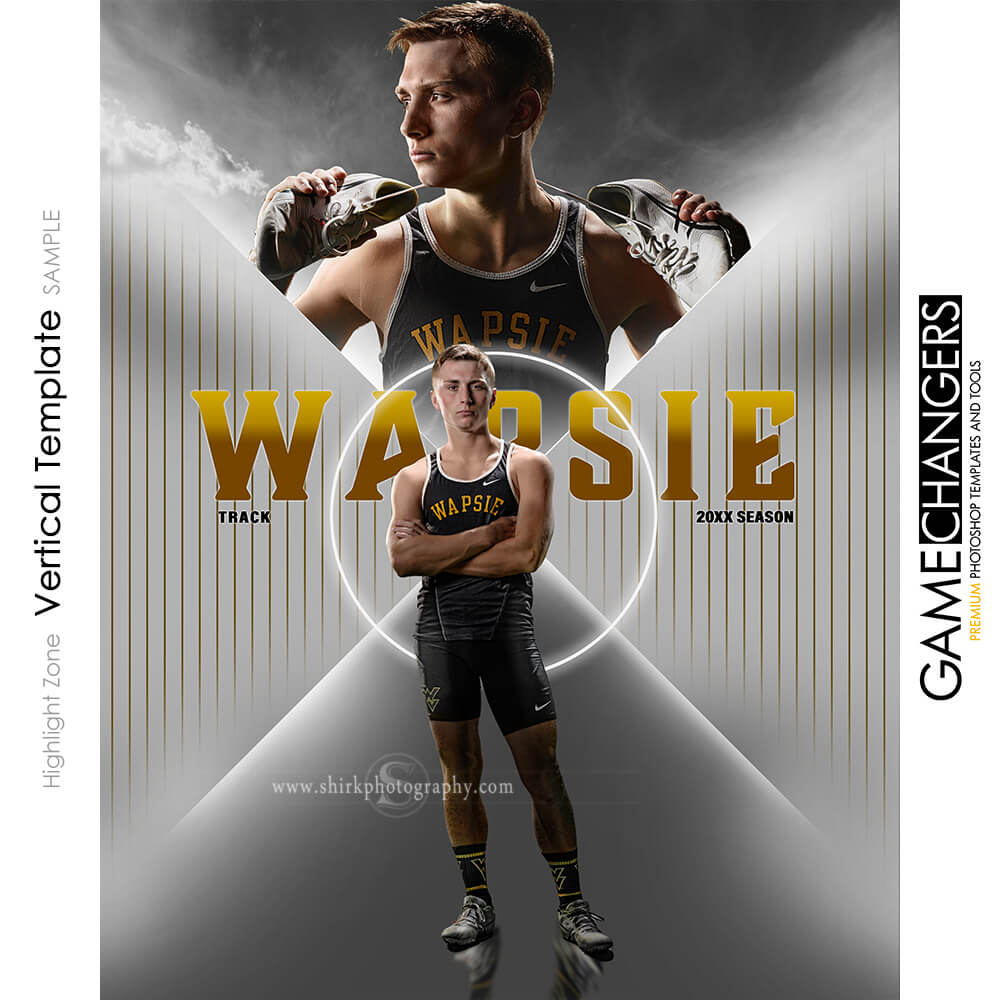
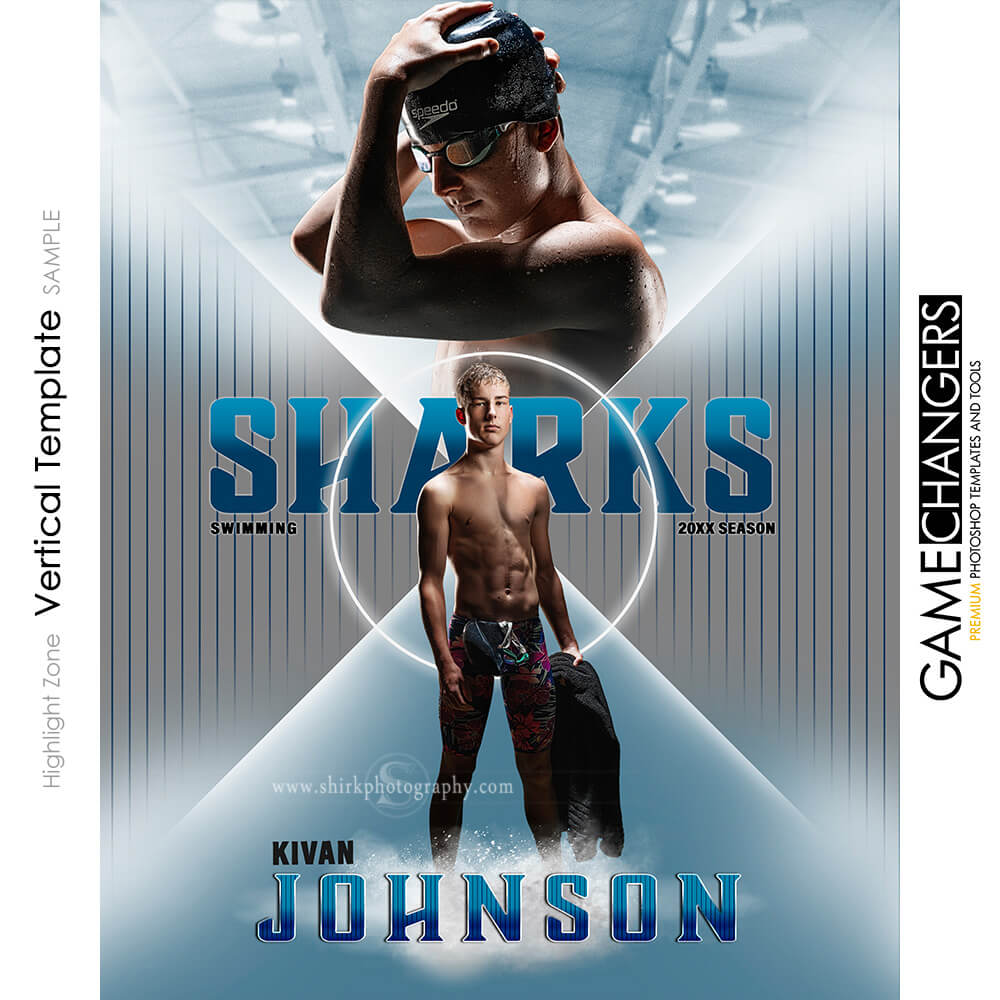













$149
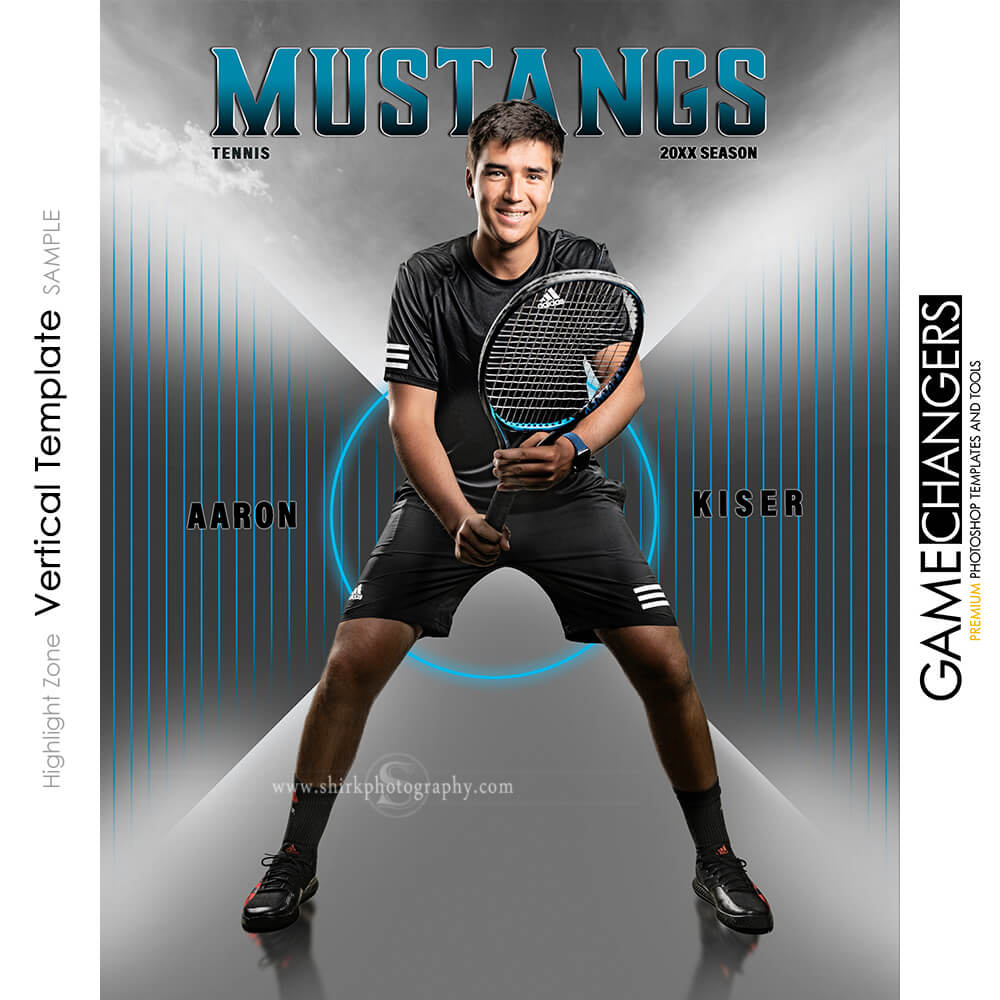
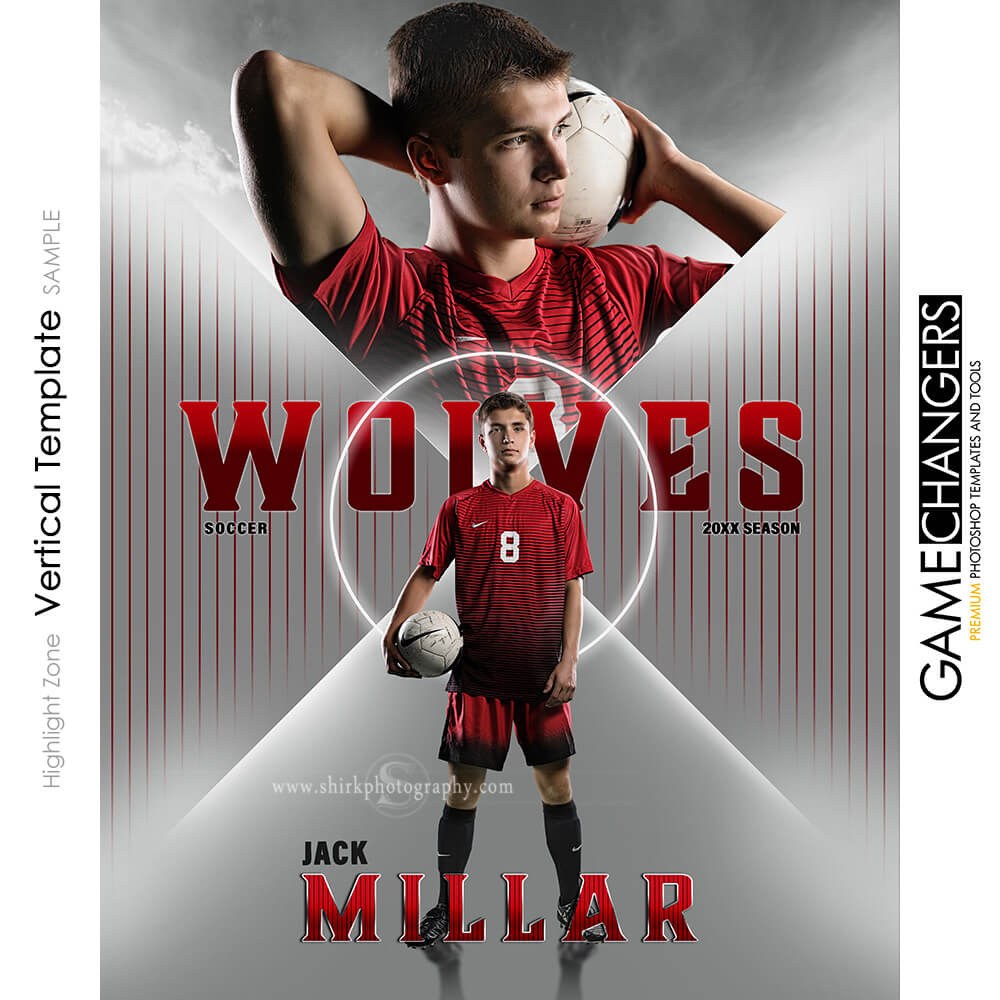
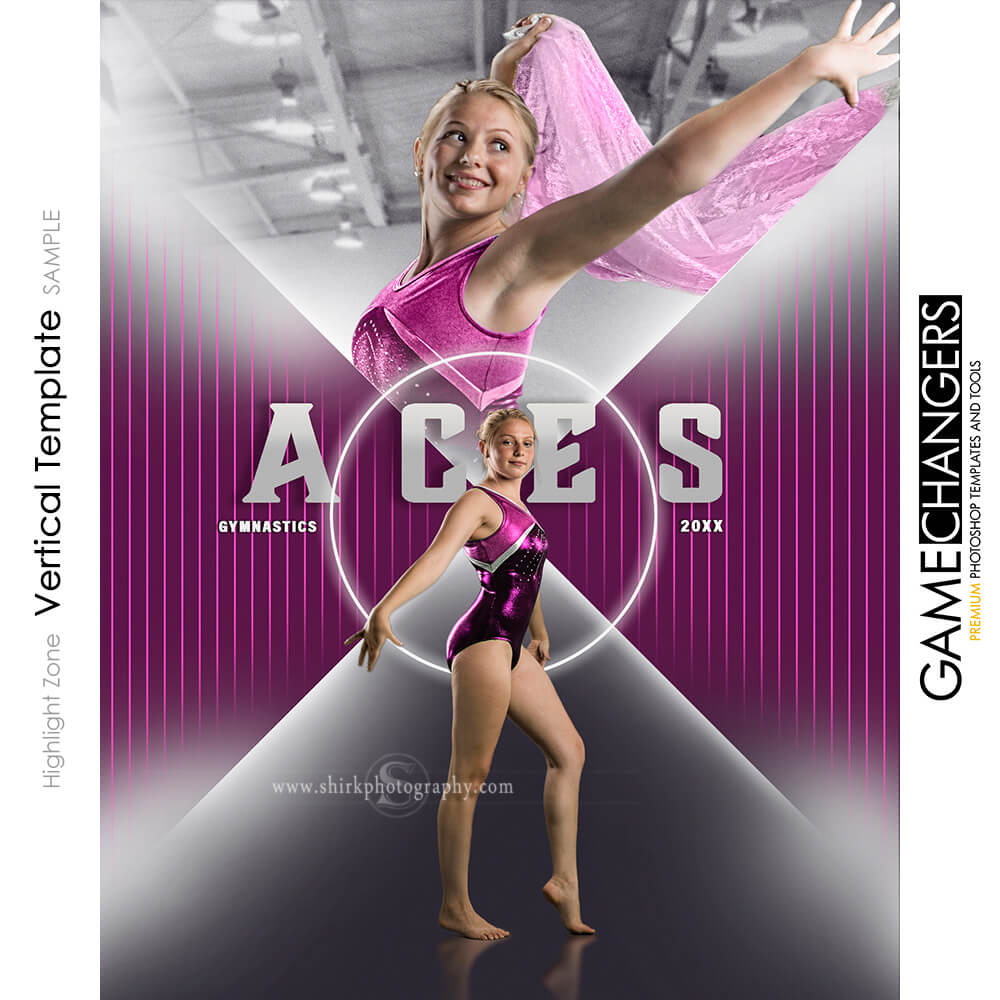
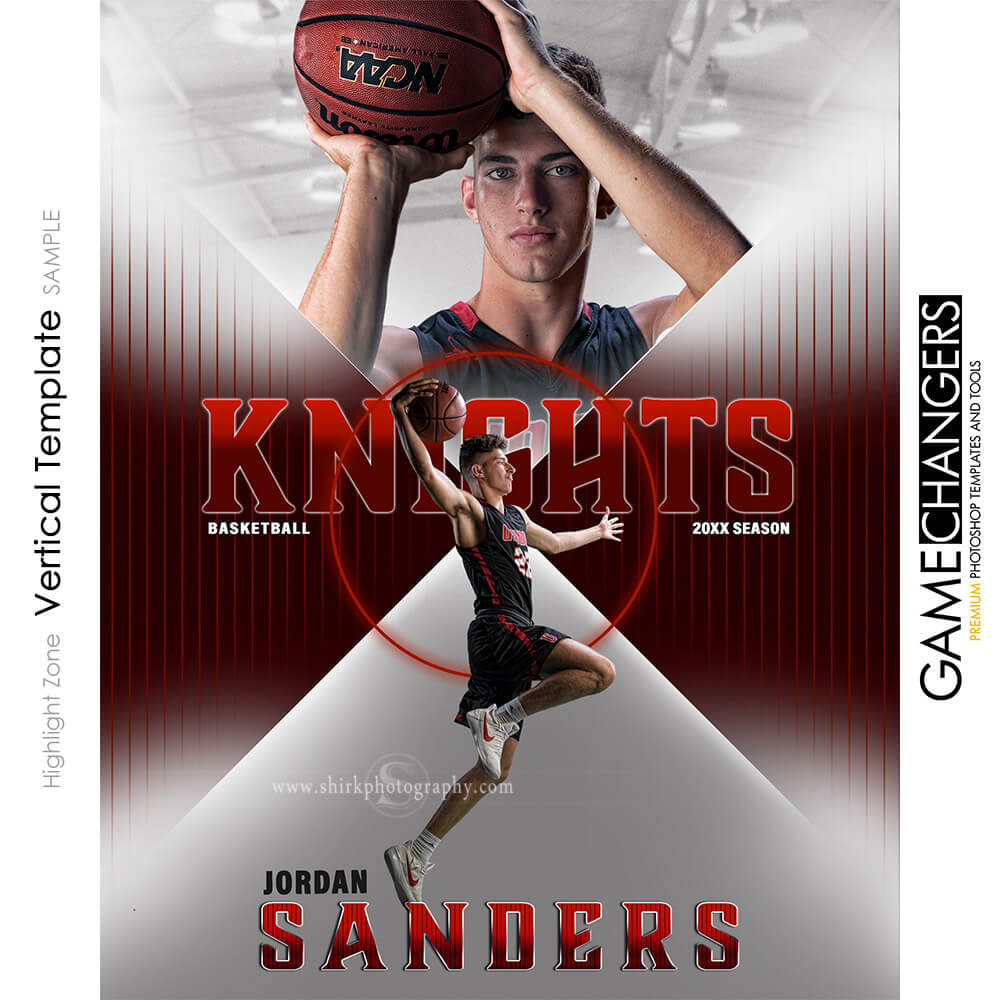
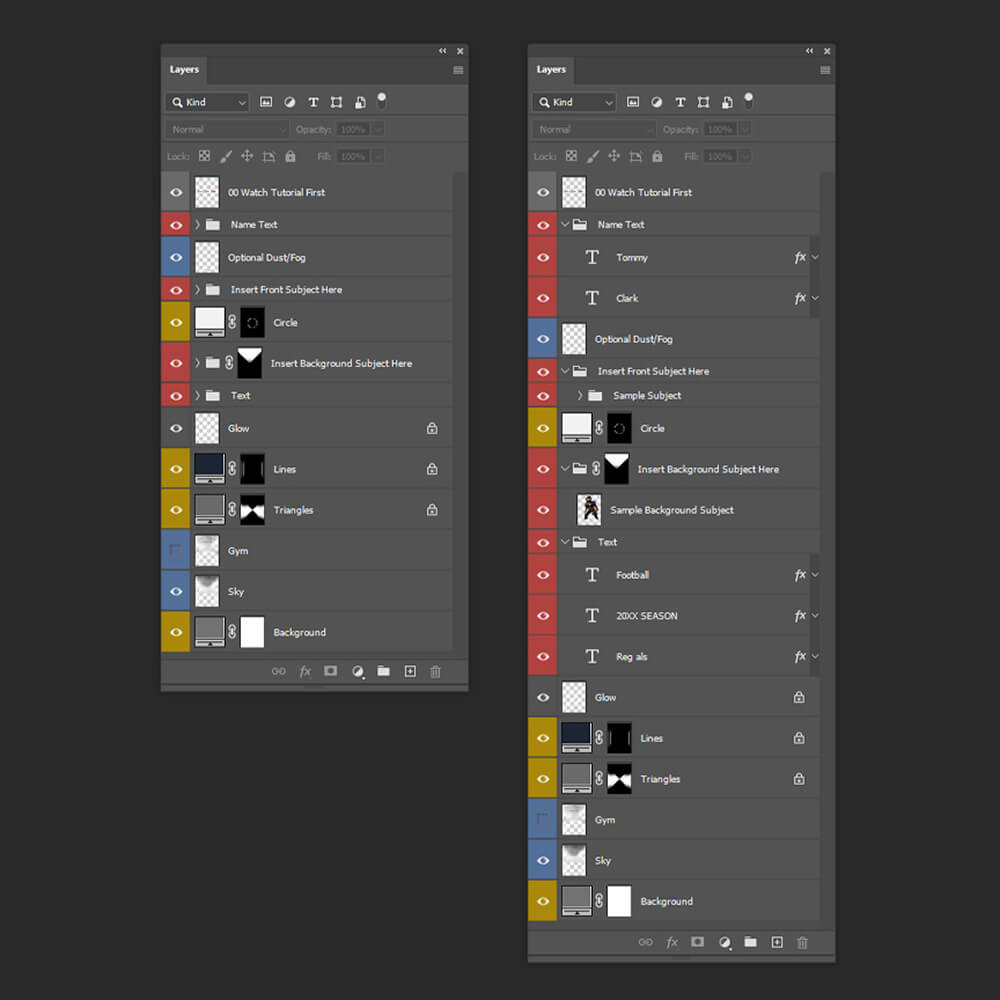
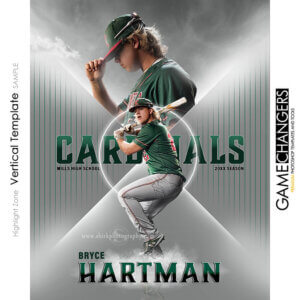
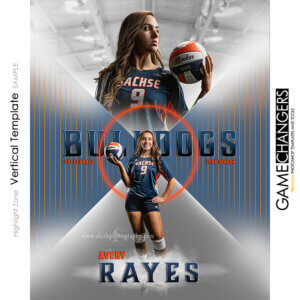
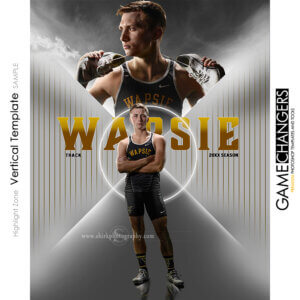
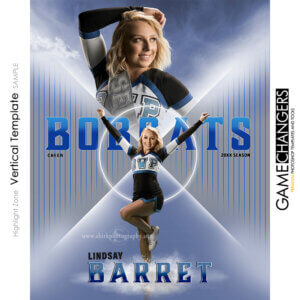
Looking for a powerful, easy-to-use Photoshop sports banner template? The Highlight Zone is the perfect solution for creating senior banners, custom posters, and high-impact sports prints. Whether you’re a sports photographer, graphic designer, or coach, this fully layered Photoshop template makes it easy to design stunning, professional-quality graphics in just a few steps.
🎥 Check out the DEMO VIDEO BELOW to see what makes this template a game-changer!
No need to start from scratch—simply photograph your subject, cut them out, and drop them into the template. You can use a single subject or add a second image of the same athlete for a more dynamic, eye-catching design. With fully adjustable layers, you can create a bold, high-energy sports look or a clean, minimalist style—all in just a few clicks!
✔ Built for Pro-Level Sports Graphics – Used by photographers and designers to create high-impact banners, posters, and prints.
✔ Saves Hours of Editing Time – No need to build designs from scratch—just drag, drop, and customize!
✔ Fully Layered Photoshop Template – High-resolution file prints up to 10-foot banners.
✔ One-Click Reflection Action – Automatically generates realistic reflections for a professional touch.
✔ Bonus Smoke & Dust Layers – Add depth and seamlessly blend your subject into the design.
✔ Flexible Text Editing – Personalize with names, team info, or any custom text. Works with Adobe Fonts!
✔ Easy Color Adjustments – Instantly switch between bright & clean or dark & moody with a simple color picker.
✔ Guided Cropping for Multiple Print Sizes – Print everything from small prints to 10-foot banners using the same file—no extra resizing needed!
✅ Adobe Photoshop Elements 15 or newer (or any recent Photoshop version).
✅ Ability to cut out your subject (Use Photoshop’s built-in tools or a third-party service).
✅ A computer – because let’s be honest, Photoshop isn’t great on a phone!
💡 Bonus Tip: If you use a green screen, check out our Green Screen Extraction Action for fast, professional cutouts!
🚀 Get Instant Access – Start Designing Pro-Level Sports Banners in Minutes!
| Compatibility | Photoshop and Elements 15 and newer |
|---|---|
| Template Details | 24"x30" @ 300 dpi |
| Brand | Game Changers |
| Manufacturer | Shirk Photography LLC |

Nadine Urioste –
It’s a great product. I’ve used it for basketball. I love the versatility to change colors.
Upvote if this was helpful (0) Downvote if this was not helpful (0) Watch Unwatch Flag for removal
Adam Spanier –
Baseball winner all day!
Upvote if this was helpful (0) Downvote if this was not helpful (0) Watch Unwatch Flag for removal
Ed Allen –
There are a couple things I would want to change but otherwise I think it’s a great template. I’ve used it a few different times and the clients always like it.
Upvote if this was helpful (0) Downvote if this was not helpful (0) Watch Unwatch Flag for removal
ttonniges –
Nice modern style template
Upvote if this was helpful (0) Downvote if this was not helpful (0) Watch Unwatch Flag for removal
aleslie –
Very versatile template that can be used in any sport. Ben makes changes very easy to do with all the layers he offers.
Upvote if this was helpful (0) Downvote if this was not helpful (0) Watch Unwatch Flag for removal
hbryant –
No matter the sport, this template makes it easy to get different looks.
Upvote if this was helpful (0) Downvote if this was not helpful (0) Watch Unwatch Flag for removal
Traci Brown –
This really helps me stand out when creating banners for student athletes.
Upvote if this was helpful (0) Downvote if this was not helpful (0) Watch Unwatch Flag for removal
Julie Kiefer –
No matter the sport, this template makes it easy to get different looks. I like to make the senior banners just a little different for each sport and this template has enough options that it is easy to get unique looks!
Upvote if this was helpful (0) Downvote if this was not helpful (0) Watch Unwatch Flag for removal
andersonsportsphotography –
I like that I can use a non-extracted image on top or team image if I want then the extracted image on bottom as the focal point. Very easy to use
Upvote if this was helpful (0) Downvote if this was not helpful (0) Watch Unwatch Flag for removal
kabay –
The kids love the banners with dual photos (and moms love it because they often smile in at least one of them)!
Upvote if this was helpful (0) Downvote if this was not helpful (0) Watch Unwatch Flag for removal
CJ Kelleher –
So excited to add this template to my collection!
Upvote if this was helpful (0) Downvote if this was not helpful (0) Watch Unwatch Flag for removal
hsauerbeck47 –
This is a great addition to my senior offerings!
Upvote if this was helpful (0) Downvote if this was not helpful (0) Watch Unwatch Flag for removal
linds_53 –
Perfect design for multiple sports!
Upvote if this was helpful (0) Downvote if this was not helpful (0) Watch Unwatch Flag for removal
Meagan Holub –
Such a clean and timeless design that the kids and parents love!!!
Upvote if this was helpful (0) Downvote if this was not helpful (0) Watch Unwatch Flag for removal
brandonpittam –
This template is what this website is named – A GAME CHANGER!!!! With its exceptional quality and user-friendly layout, this versatile template deserves a solid 5-star rating. Whether you’re a professional sports photographer or an enthusiast looking to enhance your sports images, this template is an absolute game-changer.
Upvote if this was helpful (0) Downvote if this was not helpful (0) Watch Unwatch Flag for removal